


All Video Downloader and Saver
4.2627.00 Reviews
App Specs
- Version
- 8.2
- Updated On
- License
- Free
- Downloads
- 10,000,000+
- Developer
- Video Downloader by DoTools Inc,
- Categories
- Video Players & Editors
- Platform
- Android
Screenshots
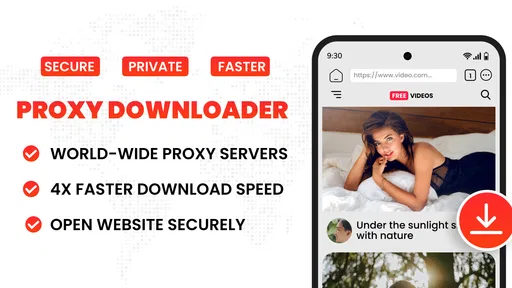
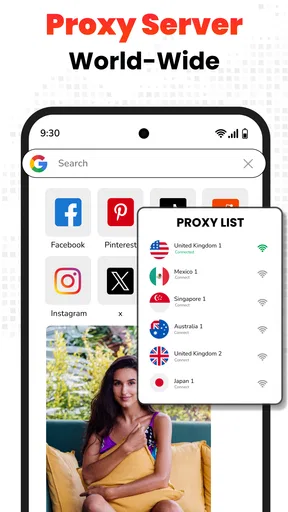
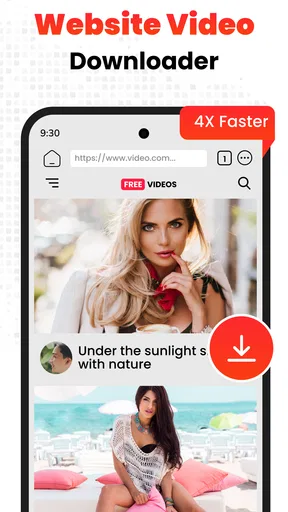
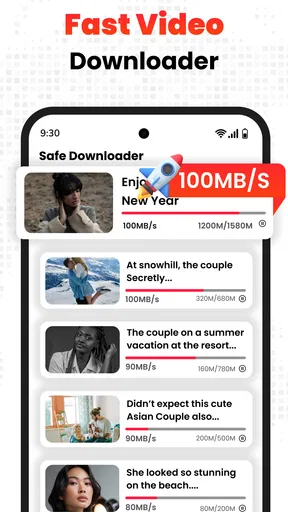
 Analysis by AppCompare
I usually reach for a video downloader when I have a practical reason: I want to watch something later without hunting for it again, or I expect to be somewhere with an unreliable connection. All Video Downloader and Saver is built around that simple handoff from finding a clip online to keeping a copy on my device. The idea is useful, but the real test is whether the browsing, downloading, and playback steps feel like one manageable routine rather than a string of interruptions.
When saving a clip makes sense
This is a free video tool from Video Downloader by DoTools Inc, aimed at people who want a download option and a player in the same place. I can see the appeal for someone who regularly saves short clips for a commute, keeps a reference video handy for a project, or wants to watch a public clip again without reopening the original page. It is less compelling if you only save videos occasionally: a site’s own offline option, when available, may be simpler and more predictable.
There is also an important distinction between being able to save a video and having permission to do so. I would use a downloader for material I own, material the creator has allowed people to save, or content that is otherwise available for downloading under its terms. A downloader does not grant rights to repost someone else’s work, and platform rules can affect which clips are accessible.
Getting Started with All Video Downloader and Saver
First things first, downloading the app is a breeze. A quick search on your app store, a tap on the install button, and voilà, you’re ready to roll. Once you open the app, you’re greeted by a straightforward interface. Honestly, it’s refreshingly simple. No clutter, just a clean and intuitive layout that makes navigation as easy as pie.
Features That Make Life Easier
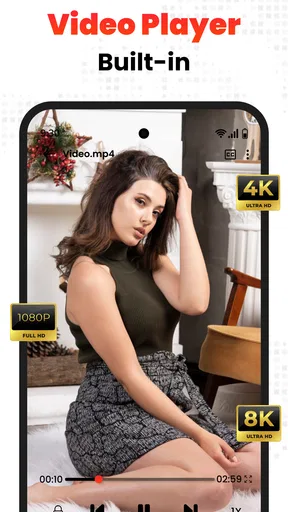
The app supports a wide array of platforms, allowing you to download videos from social media giants like Facebook, Instagram, and Twitter, as well as other popular sites. It’s like having a Swiss army knife for video downloads. Plus, the app supports multiple resolutions, so whether you’re looking for HD quality or a smaller file size, All Video Downloader and Saver has got you covered.
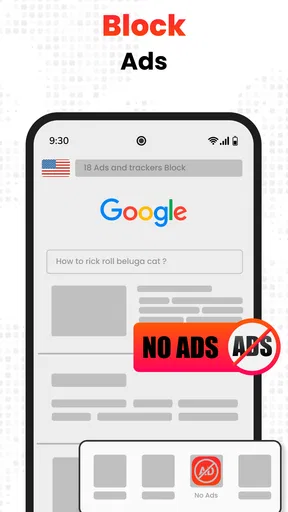
Another standout feature is the app’s built-in browser. This means you can search for your favorite videos without ever leaving the app, making the whole process seamless. Simply navigate to your desired video, tap the download button, and the app takes care of the rest.
A practical route from page to saved file
For a smoother run, I’d start by opening the source in the in-app browser, checking that the clip is the one I actually want, then choosing a resolution with the eventual viewing situation in mind. A larger, clearer file makes sense on a roomy screen or for a detail-heavy tutorial; a smaller option is more sensible when I only need a quick reference and want to conserve device space. That small decision before tapping download can prevent a folder full of oversized files I rarely revisit.
Worth Reading Before You Choose

Flipboard Shows What News Apps Must Do Beyond the Feed

Switching to Android Auto Means Rethinking Your Driving Routine

Google Calendar Makes a Crowded Week Easier to Manage

Ludo King Makes the Most of the Minutes Between Plans

Baby Panda World Brings Quick Play to Modern Phones, but Its Game Library Feels Busy

ESPN’s Live Game View Makes Following Close Games Easier
My everyday example would be saving a cooking demonstration before heading to a place where mobile data is patchy. I would find the specific video, make sure its title or subject is easy to recognize later, download it, and test playback before leaving. That last check matters: discovering a file will not play when the connection is gone defeats the point of saving it. I would also keep only the clips I expect to use and remove the rest later, since video files can consume storage quickly.
The browser-to-player handoff is the app’s most useful idea. Instead of copying a page address, switching to another downloader, and then opening a separate media player, the main steps sit together. That is convenient for casual use, though it does not mean every website will behave identically. Sites can change how their pages deliver video, and some content may require an account or be restricted in ways a third-party downloader cannot bypass. If a clip does not present a usable download option, I would avoid repeatedly trying workarounds and use the platform’s own viewing or offline tools instead.
Performance and Usability
In terms of performance, the app is pretty reliable. Downloads are quick, and the quality of the saved videos is top-notch. There’s nothing worse than waiting an eternity for a download, and thankfully, you won’t have that problem here.
Usability-wise, the app is user-friendly and doesn’t require a tech genius to figure out. All the controls are intuitive, and the app even provides helpful tips along the way. It’s the little things that make a big difference, right?
Choosing a resolution and managing the result
Resolution is a trade-off, not an automatic quality win. If I am saving a clip to watch on a phone, a smaller file may be perfectly adequate; if text, demonstrations, or fine visual detail matter, I would favor a clearer option when one is offered. I would not assume that selecting a high resolution can improve the source itself. A download can only preserve what the original video provides, and the larger file may simply take up more space.
Once a download finishes, I treat the built-in player as a quick quality check as well as a way to watch. I look for sound and picture that remain in sync, confirm that the clip starts and reaches the part I need, and make sure I can identify it again among other saved videos. If I am collecting several clips for a task, I do them in a short batch and check each one before moving on. It is a little more deliberate than tapping download and forgetting about it, but it avoids relying on a file that turns out to be incomplete or unsuitable.
For people who already organize media carefully, this app may be only one stage in a larger workflow. You might use it to bring a permitted clip onto your device, then move or sort that file using your usual file-management tools. I would not treat the downloader as a substitute for a tidy archive: descriptive filenames, sensible folders, and deleting outdated copies are still useful habits. The convenience is in bringing browsing and saving together, not in eliminating every bit of housekeeping afterward.
Security and Privacy
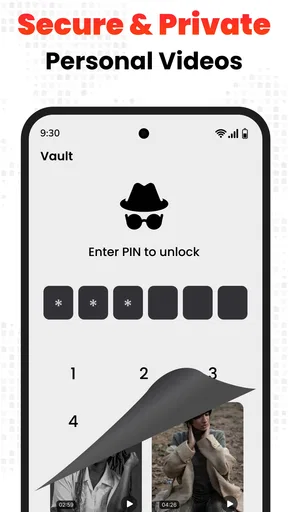
With all the privacy concerns these days, it’s good to know that All Video Downloader and Saver takes user privacy seriously. The app doesn’t ask for unnecessary permissions, which is a huge plus in my book. You can download videos without worrying about your personal data being compromised.
Where expectations need a check
I would be cautious about turning a privacy impression into a guarantee. When I install any browser-based downloader, I review the permissions and keep the app updated rather than assuming that a simple interface tells me everything about data handling. I also avoid entering sensitive account details into an in-app browser unless I genuinely need to access a page and trust the service involved. That is sensible practice for any app that opens websites, not a claim that this one has a particular privacy problem.
Ad blocking is part of the app’s stated appeal, but I would not make it the reason to choose this over a dedicated browser or a system-level approach. Ad behavior varies from site to site, and a blocker does not guarantee that every promotion, pop-up, or tracking mechanism disappears. If clean browsing is your main goal, a browser designed primarily for that purpose may offer a better fit; this app makes more sense when saving clips is the central task.
How it fits beside other options
Compared with downloading through a platform’s own feature, a dedicated downloader can be handy when you want a separate local file or when the official app’s viewing arrangement does not suit your routine. The trade-off is that official offline viewing is generally the more straightforward choice for content managed inside a subscription or social platform: it keeps playback in that service and avoids the extra compatibility step. For files you already have, a regular media player is simpler and avoids the need to browse for a download at all.
Against other third-party downloaders, the useful distinction here is the combined browser and player rather than a promise that every site works. That combined route can reduce app switching for occasional personal saves. A desktop tool or a more specialized workflow may be better if you routinely manage large collections, need advanced file organization, or work with formats that require conversion. I would choose this app for convenient, selective saving—not as a full media library or professional editing setup.
Who is likely to enjoy it
The app is a reasonable match for someone comfortable browsing for a clip, checking whether it can be saved, and managing the resulting file. It suits people who want offline access to a small selection of permitted videos and appreciate having playback close at hand. The minimum operating system is Android 6.0, and the content rating is Everyone, so those details help families and owners of older Android devices judge basic suitability before installing. It is also popular, with over ten million installs, around sixty-four thousand ratings, and an average score of 4.2; that gives a sense of its reach, though popularity alone cannot tell you whether it fits your particular sites and habits.
I would skip it if my main need were guaranteed access to every clip on a social platform, automatic organization of a large archive, or polished editing tools. Those are different jobs, and the app’s place in the video category is closer to saving and watching than to editing. I would also avoid relying on it for a clip that must be available at a specific moment until I had downloaded and tested that exact file in advance.
Ending Thoughts
So, is All Video Downloader and Saver worth downloading? I’d say absolutely. It’s a robust app that delivers on its promises, making video downloading a hassle-free experience. Whether you’re a social media enthusiast, a video hoarder, or just someone who likes to have offline access to videos, this app is a must-have.
In a world where content is king, having an app like this in your arsenal is like holding a golden ticket. So go ahead, give it a whirl and take control of your video downloads like never before!
Cost, support, and my final recommendation
The app is free to install, with optional in-app purchases listed from $1.99 to $24.99 per item. I would try the free experience first and decide whether the features I actually use justify any purchase; there is little reason to pay simply because an option is available. Version 7.6 is the current release, and the app originally arrived on January 28, 2021. Those details are useful context, but my decision would still come down to whether its browser can handle the sites I use and whether the saved files play reliably on my device.
My practical recommendation is to test the whole chain with one low-stakes video: find a clip you are allowed to save, pick a suitable resolution, download it, and play it back before depending on it offline. If that process feels clear and the result is easy to find, the app can be a handy companion for occasional downloads. If the source blocks saving, the file is awkward to manage, or your goal is editing rather than keeping a copy, I would switch to the platform’s own option or a tool built for that specific job.
Pros
- Supports multiple video formats.
- Fast download speeds.
- User-friendly interface.
- Allows batch downloading.
- Works on various platforms.
Cons
- Contains ads.
- Limited editing features.
- Requires internet connection.
- No built-in media player.
- Some downloads fail.
FAQs for All Video Downloader and Saver
What features does All Video Downloader and Saver offer?
All Video Downloader and Saver allows users to download videos from a variety of platforms directly to their devices. It supports multiple formats and resolutions, ensuring high-quality downloads. Additionally, the app includes a built-in browser for easy navigation and a media player for previewing content before saving.
Is All Video Downloader and Saver safe to use?
Yes, All Video Downloader and Saver is designed with user security in mind. It does not require unnecessary permissions and ensures that your downloads are kept private. However, users should always download from trusted sources and be aware of copyright laws when downloading content.
Can I download videos from any website with this app?
While All Video Downloader and Saver supports a wide range of websites, not all platforms may be compatible due to restrictions or updates. Users should check the list of supported sites within the app and remember that some platforms may have legal constraints on downloading content.
Does the app support downloading in different formats and resolutions?
Yes, the app supports downloading videos in various formats such as MP4, AVI, and more. It also allows users to choose from multiple resolutions, accommodating different needs, from high-definition to lower quality for quicker downloads or limited storage.
Are there any costs associated with using All Video Downloader and Saver?
All Video Downloader and Saver is typically free to download, but it may offer in-app purchases or ads to support its development. Users can opt for a premium version to remove ads and access additional features, enhancing their downloading experience.


